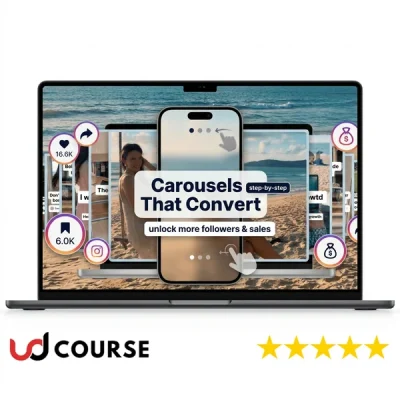
The Carousel Studio is Tinna Loaiza’s recorded course on planning, designing and producing Instagram carousel posts. It is aimed at creators who want a repeatable publishing workflow rather than isolated design tips. The listing describes a top-to-bottom path of five modules, 29 video lessons and just under four hours, with no live coaching or personal post audit. Its additional masterclass shows Loaiza critiquing work submitted by other students; it does not promise that your own carousel will receive feedback.

Carousels earn another feed opportunity, not automatic reach
Instagram carousel posts can receive more than one opportunity to attract attention because the feed may later surface another slide to someone who did not swipe the first time. Explore can also place a post in front of non-followers when Instagram predicts that it matches their interests. Neither mechanism makes the format inherently successful. Topic relevance, early engagement and a clear promise still matter. The practical advantage is extra surface area: several slides can create multiple moments of recognition without requiring the viewer to leave the post.
A complete swipe story is shorter than padded slides
The cover earns the first pause, but each following slide must earn the next swipe. A useful arc moves from tension or curiosity to explanation, proof, application and a clean ending. Slide count follows the argument. A concise tutorial may need five slides, while a detailed breakdown needs more. Padding a weak point across ten screens creates friction. Captions perform another job: they can add context, sources or a response prompt, but they cannot rescue a sequence whose central idea remains unclear.
Phone legibility outranks decorative consistency
Good branding is recognisable, yet recognition fails when type is too small or contrast is weak. Build each slide around one dominant message, supporting text and enough empty space to separate them. This is visual hierarchy: size, contrast, colour and position signal the reading order. Limit the font system, test every slide at phone size and keep important text away from crowded edges. Colour should distinguish information and emphasis, not merely fill a palette. Before publishing, view the whole set at the size a follower will see it, then scroll past it quickly. If your eye lands on the wrong element first, rebalance size or contrast rather than adding decoration. Keep alignment, margins and the position of recurring elements steady across slides, so the viewer reads each change as new information. Photographs behind text usually need a solid panel or a darker overlay.
A posting sprint measures a system rather than promising growth
A fixed-length sprint is useful because it creates a bounded experiment. Choose a topic range, map the posts, establish a sustainable cadence and batch only the work that genuinely repeats. Track reach beyond followers, cover-level attention, saves, shares, profile visits and the effort required per post. Posting time can influence the first audience available, but it is rarely the whole explanation. The honest result may be a stronger workflow or clearer audience signal rather than rapid account growth.
The recorded path connects carousel architecture to production
Carousel Studio begins with Why Carousels, then moves through Building Your Carousel Architecture, Design & Visuals, Your Growth System and Building Your Content Engine. That sequence links hooks, swipe structure, length, captions, audio, dimensions and text placement to colour, fonts and Canva templates. The growth material then covers sprint mapping, posting times and realistic result expectations. Loaiza says carousels drove her own follower growth, but that seller-reported experience is context, not an independently verified forecast for buyers.
If your bottleneck is short-form video, training in Reels scripting and on-camera editing addresses a medium this curriculum barely touches. If you need corrections on your own drafts, a live Instagram carousel critique workshop supplies the interaction absent from this recorded path. If discovery already works but sales do not, Instagram landing-page and DM funnel training deals with what happens after the profile visit.
Canva, Notion and Poppy AI remain outside tools
The extras include a carousel structure vault, a Notion planning template, four Canva templates, a packaging vault, a Poppy AI content board and the recorded masterclass. Canva supports branded visuals and batch production; Notion houses sprint planning; Poppy AI appears in one lesson and one board for ideation. Those services run through the buyer’s own third-party accounts. The AI & Automation filing therefore overstates AI’s role: this is chiefly a carousel strategy, design and planning course.
The course’s breadth is clearer than its proof
The curriculum names concrete production choices, including Explore research, cover hooks, visual hierarchy, caption types and whether audio belongs in a carousel. It does not provide independent outcome data, a sample lesson or a stated feedback channel in the supplied listing. That makes Carousel Studio most plausible for a self-directed creator willing to publish, measure and revise a sprint. Someone seeking managed growth, individual creative direction or broader social strategy would be asking this package to do work beyond its stated scope.
Recorded lessons leave a few product-specific answers
Is the program live? No live or ongoing component is described. The stated format is a recorded sequence that viewers follow from the first module to the last.
Will Tinna Loaiza audit my carousel? The listing promises an on-demand masterclass containing breakdowns of other students’ work, not a new personal audit for each buyer.
Does Carousel Studio mainly teach AI production? No. Poppy AI occupies one lesson and supports one content board; hooks, narrative, design, sprint planning and Canva production make up the larger curriculum.
What must I bring to the course? You need a subject worth publishing about, time to run the planned sprint and your own accounts for any third-party tools you choose to use.