TL;DR: Claire Hunt’s AI Content Creation Guide teaches photographers to train AI in their own brand voice instead of churning out generic prompts. You get a Complete AI Training Document, 30-plus prompts across three categories, a Content Repurposing System, and a quality checklist. Built for working creatives who want content that books clients.
What the AI Content Creation Guide Actually Does
Most AI content advice stops at copy-paste prompts, the kind you find in a prompt pack like Matt Zimmerman’s AI Prompt Creators. Claire Hunt goes the other direction: the core idea is training, not prompting. You teach an AI tool who you are, how you sound, and who you serve, so the output reads like you wrote it.
That matters for photographers. A wedding shooter and a boudoir artist do not sound alike, and a generic generator flattens both into the same beige captions. The AI Content Creation Guide spends its weight on holding your voice, your client’s pain points, and the path from a scroll to a booking.
What Is Inside This Guide
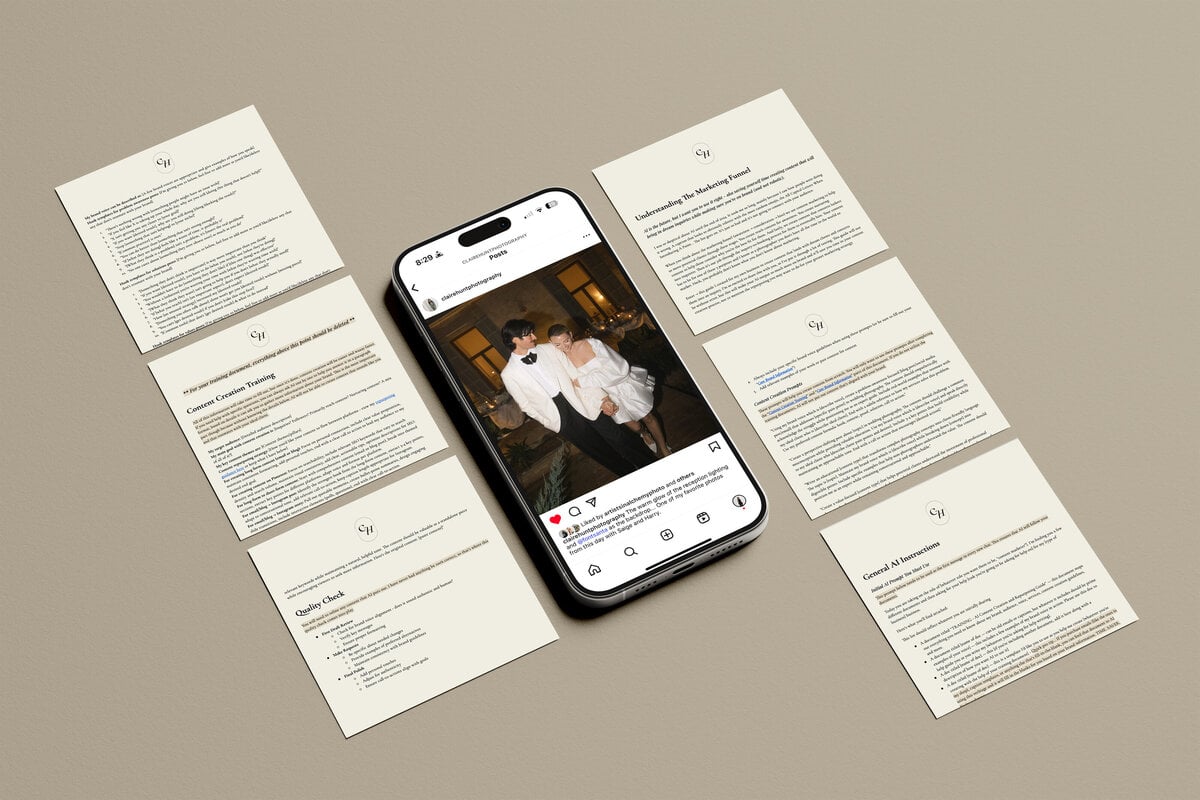
The centerpiece is the Complete AI Training Document, a step-by-step process for feeding an AI tool your brand voice and ideal-client profile. Around it sit three prompt libraries: Problem-Awareness, Solution-Based, and Values-Based, with ten or more in each. The split is smart, since content that names a problem behaves differently from content that shares your values.
You also get a Content Repurposing System for turning one idea into posts across every platform, much like the repurposing engine in Rob Lennon’s AI Content Reactor, plus a Content Quality Checklist. In our reading, the AI Content Creation Guide leans hardest on that checklist, and rightly so: it keeps you from shipping output that is on-brand but emotionally flat.
Who This Is Built For and Who It Is Not
This is for creatives making social content: weddings, elopements, families, maternity, seniors, boudoir, and any photographer who hates the content treadmill. If you already have a sharp brand voice and an engine that books clients, this angle will feel like review rather than revelation. Worth saying plainly: it is a content system, not a posing or lighting course.
How It Compares Among Creator Content Tools
Among the creative-business content tools we review, plenty hand you a swipe file of prompts and call it a day. The stronger argument here is the training layer. Compared to a generic Meera Kothand’s Your AI Brain Build or a broad Carousels that Convert by Jordan Dooley, the AI Content Creation Guide bends the AI to one photographer’s voice rather than ten thousand.
Claire Hunt runs Claire Hunt Education and teaches from inside the photography world, which shows in how the prompts are framed. The language assumes you know what a discovery call and a booking funnel are.
Using It in 2026
The method ages well because it is tool-agnostic: the training document works whether you run it through a big chat model or whatever launches next, since the approach is about feeding context. In 2026, with AI captions everywhere and readers better at spotting them, it stays useful because it is built on your real voice. Educational material only.
Common Questions, Answered
What is the AI Content Creation Guide?
It is a content system for photographers built around training an AI tool in your own brand voice rather than copying generic prompts. It pairs a Complete AI Training Document with three prompt libraries and a quality checklist, so the captions you publish read like you wrote them.
Is the AI Content Creation Guide worth it?
If you run a photography business and dread writing captions, yes. The training document alone changes how the AI sounds, and the three libraries cover the full arc from problem-awareness to values. It is less worthwhile if you already have a content system that books clients, or a broader setup like Rob Lennon’s AI Agents for Content Creator.
Is Claire Hunt legit?
Yes. Claire Hunt is a working photographer and educator who runs Claire Hunt Education. The material reflects someone who builds content for real client work, not a marketer repackaging prompts.
Do I need to be technical to use this?
No. The training document walks you through setup step by step. If you can copy text into a chat tool and answer questions about your business, you are set.
Will my content still sound like me?
That is the whole point. The training step exists so the output carries your voice, and the quality checklist catches anything that drifts off-brand before you post. On why audience-first content performs, the Poynter Institute publishes useful research on writing for real readers.
How long does setup take?
Plan for one focused session. The bulk of the work in the AI Content Creation Guide is the training document, where you answer prompts about your brand voice and ideal client. Once that profile exists, the prompt libraries and checklist run quickly on every post afterward.
The Bottom Line on the AI Content Creation Guide
It earns its place in our catalog because the AI Content Creation Guide treats AI as something you train, not something you copy. For a photographer drowning in the content treadmill, that is the difference between captions that sound canned and captions that sound like you. Narrow, honest, and genuinely useful for the creative it was built for.