
Author
Master every Excel feature with CFO Josh Aharonoff. From formulas to dashboards, learn the spreadsheet skills used at Big 4 firms.
TL;DR: Josh Aharonoff’s Excel Course teaches every feature in Microsoft Excel from a CFO’s perspective. You’ll learn formulas, shortcuts, data analysis, and professional reporting techniques used at Big 4 firms and Fortune 500 companies. Best for finance professionals, analysts, and anyone who uses spreadsheets daily. Not ideal for complete tech beginners or those who only need basic spreadsheet skills.
📝 Editorial Note: Independent review by UDCourse.
Review based on curriculum analysis, instructor credentials, and student feedback from the official Your CFO Guy platform.
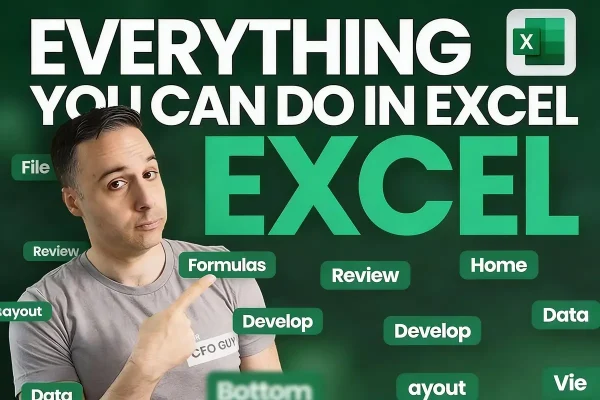
Everything You Can Do in Excel is a comprehensive Excel course created by Josh Aharonoff, a CPA and fractional CFO who has helped clients raise millions in VC funding using Excel-based financial models. Unlike generic Excel tutorials, this course teaches every single feature inside Excel from a finance professional’s perspective.
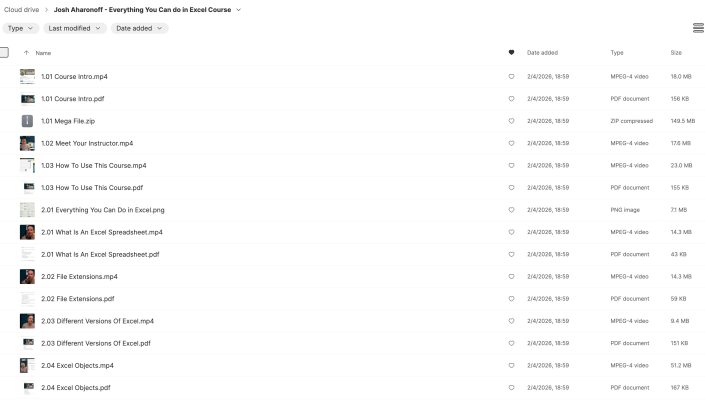
The course walks through every button and feature across all Excel tabs, starting from basics and progressing to advanced techniques. According to HubSpot’s Excel guide, Excel proficiency remains one of the most in-demand skills across industries, making this training valuable for career advancement.
“Greatly helped my business decision making” – Heather P., Business Owner
“Great content, course material and explanation. Really enjoyed the course and anticipate it will greatly help my business decision making.”
“Reduced my spreadsheet work from all day to one hour” – Michael R., Financial Analyst
“What used to take me 8 hours now takes 60 minutes. The shortcuts alone saved me 20+ hours per month.”
“Well-structured and very helpful for Finance and Accounting” – Karina G., Accountant
“Really great, well-structured course. Includes lots of practical tips and knowledge. I recommend to anyone in Finance and Accounting.”
“Templates let me practice on my own time” – Iman A., Finance Professional
“The teacher explains very clearly and slowly. I really learned a lot. The templates give us time to practice independently.”
For advanced financial modeling, see Career Principles Complete Finance & Valuation Course.
Business professionals also study Supply Chain Strategy Toolkit for operations management.
Pros:
Cons:
This Excel course delivers real value for anyone serious about mastering spreadsheets. Josh’s CFO background means you’re learning the techniques actually used in finance departments, not just academic examples.
Josh Aharonoff is a CPA and founder of Mighty Digits, a fractional CFO agency. He started his career at a Big 4 accounting firm and has since helped clients raise millions in VC funding using Excel-based financial models. With over 400,000 LinkedIn followers and 90,000 newsletter subscribers, he’s one of the most recognized Excel and finance educators online. He also created an Excel plug-in with templates for finance and accounting professionals.
Is Josh Aharonoff’s Excel course worth it?
Yes, this Excel course is worth it for professionals who use spreadsheets regularly. Students report reducing 8-hour tasks to 1 hour after applying the shortcuts and techniques taught.
Is this Excel course legit?
Yes, it’s a legitimate course from Josh Aharonoff (Your CFO Guy), a verified CPA with Big 4 experience and 400,000+ LinkedIn followers who teaches finance and Excel to professionals.
How long does it take to complete this Excel course?
Plan for 4-6 weeks if studying a few hours per week. The course covers every Excel feature comprehensively, so rushing defeats the purpose.
Do I need prior Excel experience?
No prior experience required. Josh starts from scratch and doesn’t assume any existing knowledge, making it suitable for beginners through advanced users.
Will this help me get promoted?
According to students, improved Excel skills directly contributed to better performance reviews and promotion opportunities. Heather P. noted it “greatly helped business decision making.”
Is Excel still relevant in 2026?
Yes, Excel remains essential. Josh confirms that across companies from small startups to eight-figure businesses, “there’s not even a whisper about moving away from it.”
For sales skills that complement business analysis, see Closer Cartel Remote Protocol.
Browse more Business Growth courses.
Get instant access to Everything You Can Do in Excel and transform your spreadsheet skills. Whether you’re building financial models, analyzing data, or creating reports, this Excel course gives you the CFO-level techniques that separate professionals from amateurs.
For related training, see Financial Modeling Fundamentals.

Business Growth

Business Growth